Monday, December 19, 2016

MSSQL on Linux datafiles with C prompt


Installing MSSQL on Linux is fairly straightforward.

Installation 
https://www.microsoft.com/en-us/sql-server/sql-server-vnext-including-Linux

For MSSQL on Ubuntu simply follow this link.
https://docs.microsoft.com/en-us/sql/linux/sql-server-linux-setup-ubuntu

SQL Server installation do enforce the 3.25Gig memory size. So, prior to stat the installation make sure you environment or VM do have around 4gig of memory to work with. I allocated 60Gig on my VMs. After the Ubunto Server 64 bits deployment and MSSQL installation, I still have 52gig left.

The main point of this blog is not to guide user to deploy MSSQL on Linux but to show one of the interesting behavior I noticed.


administrator@ubuntu:/var/opt$ sqlcmd -U SA
Password:
1> select @@version;
2> go

------------------------------------------------------------------------------------------------------------------------------------------------------------------------------------------------------------------------------------------------------------------------------------------------------------
Microsoft SQL Server vNext (CTP1.1) - 14.0.100.187 (X64)
Dec 10 2016 02:51:11
Copyright (C) 2016 Microsoft Corporation. All rights reserved.
on Linux (Ubuntu 16.10)

(1 rows affected)


1> select name from sys.databases;
2> go
name
--------------------------------------------------------------------------------------------------------------------------------
master
tempdb
model
msdb

(4 rows affected)
1>


As you can see here, the datafile path starts with C:\ prompt.

SELECT cast(DB_NAME(database_id) as varchar(20)) AS "Database Name",
       cast(Name as varchar(25)) AS "Logical Name",
       cast(Physical_Name as varchar (100)) as "Datafiles Path",
       (size * 8) / 1024 as "Size in MB",
       (size * 8) / 1024/ 1024 as "Size in Gig"
FROM sys.master_files;

Database Name        Logical Name              Datafiles Path                                                                                       Size in MB  Size in Gig
-------------------- ------------------------- ---------------------------------------------------------------------------------------------------- ----------- -----------
master               master                    C:\var\opt\mssql\data\master.mdf                                                                               4           0
master               mastlog                   C:\var\opt\mssql\data\mastlog.ldf                                                                              2           0
tempdb               tempdev                   C:\var\opt\mssql\data\tempdb.mdf                                                                               8           0
tempdb               templog                   C:\var\opt\mssql\data\templog.ldf                                                                              8           0
model                modeldev                  C:\var\opt\mssql\data\model.mdf                                                                                8           0
model                modellog                  C:\var\opt\mssql\data\modellog.ldf                                                                             8           0
msdb                 MSDBData                  C:\var\opt\mssql\data\MSDBData.mdf                                                                            13           0
msdb                 MSDBLog                   C:\var\opt\mssql\data\MSDBLog.ldf                                                                              0           0


User can access the physical datafile with sudo.

administrator@ubuntu:/var/opt$ sudo ls -las /var/opt/mssql/data/
total 53320
    4 drwxr-xr-x 2 mssql mssql     4096 Dec 19 10:54 .
    4 drwxrwx--- 7 mssql mssql     4096 Dec 19 10:55 ..
 4096 -rw-r----- 1 mssql mssql  4194304 Dec 19 11:06 master.mdf
 2048 -rw-r----- 1 mssql mssql  2097152 Dec 19 12:06 mastlog.ldf
 8192 -rw-r----- 1 mssql mssql  8388608 Dec 19 11:00 modellog.ldf
 8192 -rw-r----- 1 mssql mssql  8388608 Dec 19 11:00 model.mdf
13632 -rw-r----- 1 mssql mssql 13959168 Dec 19 10:55 msdbdata.mdf
  768 -rw-r----- 1 mssql mssql   786432 Dec 19 10:55 msdblog.ldf
 8192 -rw-r----- 1 mssql mssql  8388608 Dec 19 10:55 tempdb.mdf
 8192 -rw-r----- 1 mssql mssql  8388608 Dec 19 11:00 templog.ldf

Interesting that SQL Server still keeping the Windows behavior.

Thursday, December 15, 2016

Unable to access VCSA appliance after initial setup


After everything's deployed, ssh, ping, curl works from within the appliance but access through web browser or anything remote will not worked..


At this point, only either firewall or gateway would be the issue. Sure enough, gateway was not even listed (default). Adding temporary gateway works immediately. I am able to see the Web Client.


Checking the IP Route, I was not finding my default Gateway at all.


Running the following command fixed my webclient issue. This is a temporary solution. After reboot of the appliance, the gateway will disappeared. One can implement a permanent solution to the network entries.

route add default gw 10.131.15.254


The Gateway can be found at the host - Configuration but for some reason, it did not get picked up during deployment. 


Thursday, November 24, 2016

VCSA: Where does vCenter Appliance stores its Performance Chart connect string.

Be reminded that this is going through JDBC instead of ODBC. This piece is responsible for Hourly, Daily, Weekly and Yearly Performance Chart.

/etc/vmware-vpx/vcdb.properties


driver = org.postgresql.Driver
dbtype = PostgreSQL
url = jdbc:postgresql://localhost:5432/VCDB
username = vc
password = w4%wH3@!BybXd
password.encrypted = false


VCSA: Where does vCenter Appliance store the ODBC settings?

It resides in /etc/odbc.ini


[VMware VirtualCenter]
;DB_TYPE = PostgreSQL
;SERVER_NAME = localhost
;SERVER_PORT = 5432
;TNS_SERVICE = VCDB
;USER_ID = vc
Application Attributes = T
Attributes = W
BatchAutocommitMode = IfAllSuccessful
BindAsFLOAT = F
CloseCursor = F
DisableDPM = F
DisableMTS = T
Driver = PostgreSQL
DSN = VMware VirtualCenter
EXECSchemaOpt =
EXECSyntax = T
Failover = T
FailoverDelay = 10
FailoverRetryCount = 10
ForceWCHAR = F
Lobs = T
Longs = T
MetadataIdDefault = F
QueryTimeout = T
ResultSets = T
ServerName = localhost
PortNumber = 5432
Server = localhost
Port = 5432
SQLGetData extensions = F
Translation DLL =
Translation Option = 0
DisableRULEHint = T
UserID = vc
User = vc
Database = VCDB
Logging = 0
QuotedId = Yes
AnsiNPW = Yes
Mars_Connection = No
ByteaAsLongVarBinary = 1
BoolsAsChar = 0
UseDeclareFetch = 1
Fetch = 1024

Friday, November 18, 2016

VCSA 6.5 Failed to complete.


Deployed in various hosts with the same results.


Encountered an internal error. Traceback (most recent call last): File "/usr/lib/vmidentity/firstboot/vmidentity-firstboot.py", line 2018, in main vmidentityFB.boot() File "/usr/lib/vmidentity/firstboot/vmidentity-firstboot.py", line 349, in boot self.configureSTS(self.__stsRetryCount, self.__stsRetryInterval) File "/usr/lib/vmidentity/firstboot/vmidentity-firstboot.py", line 1479, in configureSTS self.startSTSService() File "/usr/lib/vmidentity/firstboot/vmidentity-firstboot.py", line 1141, in startSTSService returnCode = self.startService(self.__sts_service_name, self.__stsRetryCount * self.__stsRetryInterval) File "/usr/lib/vmidentity/firstboot/vmidentity-firstboot.py", line 88, in startService return service_start(svc_name, wait_time) File "/usr/lib/vmware/site-packages/cis/utils.py", line 784, in service_start raise ServiceStartException(svc_name) ServiceStartException: { "resolution": null, "detail": [ { "args": [ "vmware-stsd" ], "id": "install.ciscommon.service.failstart", "localized": "An error occurred while starting service 'vmware-stsd'", "translatable": "An error occurred while starting service '%(0)s'" } ], "componentKey": null, "problemId": null }
Resolution:
This is an unrecoverable error, please retry install. If you run into this error again, please collect a support bundle and open a support request.


Currently, this seem like a known issue or user error.

According to inside information, the DNS for IPV6 was not set, so the workaround is the echo "::1 localhost" >> /etc/hosts right after Stage 1 is completed. ssh into the appliance to append the localhost. This is thanks to my colleague A.S.

Prior to Stage 2, there will be a screen asking if 'ssh' to be enabled. Check that box to enable the ssh and get the following command ready. Upon clicking on Finish, the ssh will be enabled immediately. At this point, ssh into the appliance and quick changing the /etc/hosts file.


echo echo "::1 localhost.localdom localhost" >> /etc/hosts


Note: echo is a standard linux command. In order to execute it, it needs to be in the shell. vcsa entry menu is not in default shell. User will need to switch it.


Wednesday, November 16, 2016

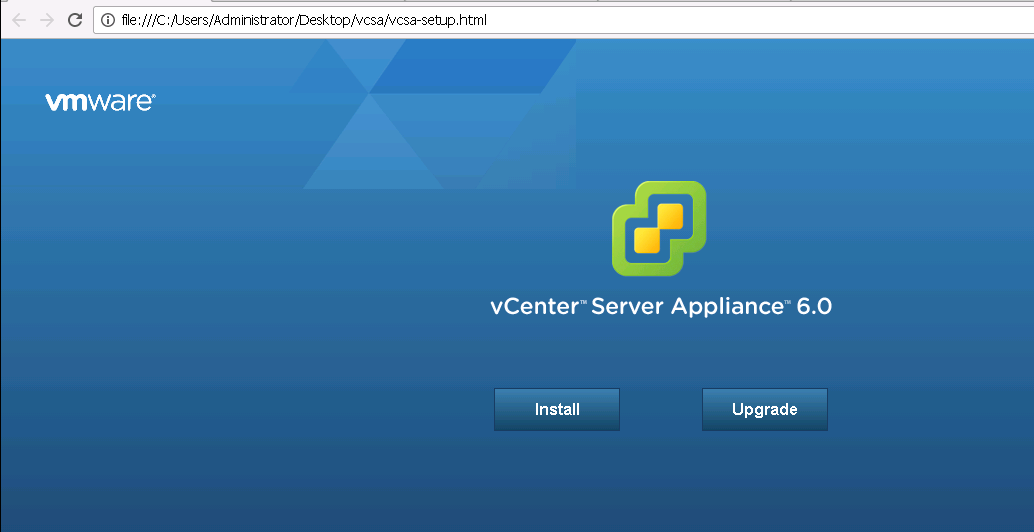
New Changes in VCSA 6.5 Web installs

VCSA6.5. New features include additional Migrate and Restore.  VCSA no longer offers external database deployment to Oracle. That option screen simply no longer there. I guess default to vPostgresql now. vCenter install probably still have the external feature.

Stage 2 installation has been created and some of the early installation such as SSO and shh enablement has been pushed to that stage. Basically, nothing much changed in that area.


VCSA Web Install seems to be lot faster.


VCSA 6.0


VCSA 6.5 is using VMware Photon OS now.


Saturday, October 29, 2016

SQL Server: Transferring ownership from one owner to another in sql server.

Occasionally, this could happen in vCenter where some objects belong to other owners aside from dbo.

Referemce: https://msdn.microsoft.com/en-us/library/ms173423.aspx


Transfer vpx_version from dbo to guest.
alter schema guest transfer dbo.vpx_version;
sp_tables vpx_version


select distinct sys.schemas.name from sys.objects INNER JOIN sys.schemas ON sys.objects.schema_id = sys.schemas.schema_id and sys.schemas.name <>'sys';


Transfer vpx_version from guest to dbo.
alter schema dbo transfer guest.vpx_version;
sp_tables vpx_version


To change all objects from none dbo to dbo schema.

SELECT 'ALTER SCHEMA dbo TRANSFER ' + s.Name + '.' + o. Name
    FROM sys.Objects o
    INNER JOIN sys .Schemas s on o. schema_id = s. schema_id
    WHERE s.Name = 'dbo'
    And (o. Type = 'U' Or o .Type = 'P' Or o.Type = 'V')