Thursday, November 24, 2016

VCSA: Where does vCenter Appliance stores its Performance Chart connect string.

Be reminded that this is going through JDBC instead of ODBC. This piece is responsible for Hourly, Daily, Weekly and Yearly Performance Chart.

/etc/vmware-vpx/vcdb.properties


driver = org.postgresql.Driver
dbtype = PostgreSQL
url = jdbc:postgresql://localhost:5432/VCDB
username = vc
password = w4%wH3@!BybXd
password.encrypted = false


VCSA: Where does vCenter Appliance store the ODBC settings?

It resides in /etc/odbc.ini


[VMware VirtualCenter]
;DB_TYPE = PostgreSQL
;SERVER_NAME = localhost
;SERVER_PORT = 5432
;TNS_SERVICE = VCDB
;USER_ID = vc
Application Attributes = T
Attributes = W
BatchAutocommitMode = IfAllSuccessful
BindAsFLOAT = F
CloseCursor = F
DisableDPM = F
DisableMTS = T
Driver = PostgreSQL
DSN = VMware VirtualCenter
EXECSchemaOpt =
EXECSyntax = T
Failover = T
FailoverDelay = 10
FailoverRetryCount = 10
ForceWCHAR = F
Lobs = T
Longs = T
MetadataIdDefault = F
QueryTimeout = T
ResultSets = T
ServerName = localhost
PortNumber = 5432
Server = localhost
Port = 5432
SQLGetData extensions = F
Translation DLL =
Translation Option = 0
DisableRULEHint = T
UserID = vc
User = vc
Database = VCDB
Logging = 0
QuotedId = Yes
AnsiNPW = Yes
Mars_Connection = No
ByteaAsLongVarBinary = 1
BoolsAsChar = 0
UseDeclareFetch = 1
Fetch = 1024

Friday, November 18, 2016

VCSA 6.5 Failed to complete.


Deployed in various hosts with the same results.


Encountered an internal error. Traceback (most recent call last): File "/usr/lib/vmidentity/firstboot/vmidentity-firstboot.py", line 2018, in main vmidentityFB.boot() File "/usr/lib/vmidentity/firstboot/vmidentity-firstboot.py", line 349, in boot self.configureSTS(self.__stsRetryCount, self.__stsRetryInterval) File "/usr/lib/vmidentity/firstboot/vmidentity-firstboot.py", line 1479, in configureSTS self.startSTSService() File "/usr/lib/vmidentity/firstboot/vmidentity-firstboot.py", line 1141, in startSTSService returnCode = self.startService(self.__sts_service_name, self.__stsRetryCount * self.__stsRetryInterval) File "/usr/lib/vmidentity/firstboot/vmidentity-firstboot.py", line 88, in startService return service_start(svc_name, wait_time) File "/usr/lib/vmware/site-packages/cis/utils.py", line 784, in service_start raise ServiceStartException(svc_name) ServiceStartException: { "resolution": null, "detail": [ { "args": [ "vmware-stsd" ], "id": "install.ciscommon.service.failstart", "localized": "An error occurred while starting service 'vmware-stsd'", "translatable": "An error occurred while starting service '%(0)s'" } ], "componentKey": null, "problemId": null }
Resolution:
This is an unrecoverable error, please retry install. If you run into this error again, please collect a support bundle and open a support request.


Currently, this seem like a known issue or user error.

According to inside information, the DNS for IPV6 was not set, so the workaround is the echo "::1 localhost" >> /etc/hosts right after Stage 1 is completed. ssh into the appliance to append the localhost. This is thanks to my colleague A.S.

Prior to Stage 2, there will be a screen asking if 'ssh' to be enabled. Check that box to enable the ssh and get the following command ready. Upon clicking on Finish, the ssh will be enabled immediately. At this point, ssh into the appliance and quick changing the /etc/hosts file.


echo echo "::1 localhost.localdom localhost" >> /etc/hosts


Note: echo is a standard linux command. In order to execute it, it needs to be in the shell. vcsa entry menu is not in default shell. User will need to switch it.


Wednesday, November 16, 2016

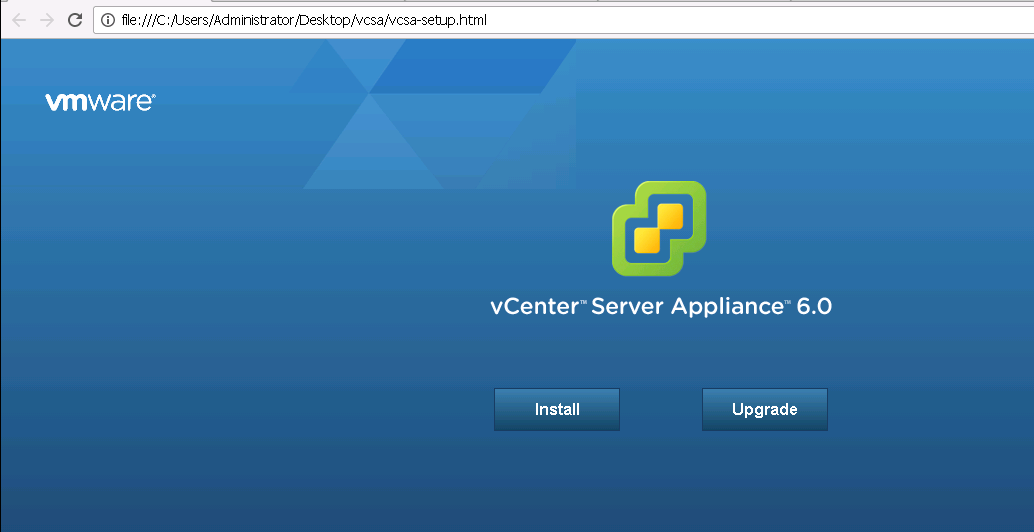
New Changes in VCSA 6.5 Web installs

VCSA6.5. New features include additional Migrate and Restore.  VCSA no longer offers external database deployment to Oracle. That option screen simply no longer there. I guess default to vPostgresql now. vCenter install probably still have the external feature.

Stage 2 installation has been created and some of the early installation such as SSO and shh enablement has been pushed to that stage. Basically, nothing much changed in that area.


VCSA Web Install seems to be lot faster.


VCSA 6.0


VCSA 6.5 is using VMware Photon OS now.


Saturday, October 29, 2016

SQL Server: Transferring ownership from one owner to another in sql server.

Occasionally, this could happen in vCenter where some objects belong to other owners aside from dbo.

Referemce: https://msdn.microsoft.com/en-us/library/ms173423.aspx


Transfer vpx_version from dbo to guest.
alter schema guest transfer dbo.vpx_version;
sp_tables vpx_version


select distinct sys.schemas.name from sys.objects INNER JOIN sys.schemas ON sys.objects.schema_id = sys.schemas.schema_id and sys.schemas.name <>'sys';


Transfer vpx_version from guest to dbo.
alter schema dbo transfer guest.vpx_version;
sp_tables vpx_version


To change all objects from none dbo to dbo schema.

SELECT 'ALTER SCHEMA dbo TRANSFER ' + s.Name + '.' + o. Name
    FROM sys.Objects o
    INNER JOIN sys .Schemas s on o. schema_id = s. schema_id
    WHERE s.Name = 'dbo'
    And (o. Type = 'U' Or o .Type = 'P' Or o.Type = 'V')

SQL Server: Script to reorg vCenter indexes in SQL Server

Script to reorg vcenter indexes above 70% fragmentations.

SQLCMD -i d:\reorf.sql -o d:\reorg.txt

use vcdb
select 'alter index ' +  ind.name + ' on ' + OBJECT_NAME(ind.OBJECT_ID) + ' reorganize;' from sys.dm_db_index_physical_stats(DB_ID(), NULL, NULL, NULL, NULL) indexstats INNER JOIN sys.indexes ind  ON ind.object_id = indexstats.object_id AND ind.index_id = indexstats.index_id
 WHERE indexstats.avg_fragmentation_in_percent > 70  ORDER BY indexstats.avg_fragmentation_in_percent DESC;


Changed database context to 'VCDB'.

--------------------------------------------------------------------------------------------------------------------------------------------------------------------------------------------------------------------------------------------------------------------------------------------
alter index VPXI_EVENT_EVENT_TYPE on VPX_EVENT reorganize;
alter index VPX_EVENT_ARG_F1 on VPX_EVENT_ARG reorganize;
alter index PK_VPX_DBM_COUNTER_VALUE on VPX_DBM_COUNTER_VALUE reorganize;
alter index VPXI_EVENT_CATEGORY on VPX_EVENT reorganize;
alter index VPXI_EVENT_CREATE_TIME on VPX_EVENT reorganize;
alter index VPXI_EVENT_EXTENDED_CLASS on VPX_EVENT reorganize;
alter index VPX_EVENT_ARG_F2 on VPX_EVENT_ARG reorganize;
alter index PK_VPX_SAMPLE_TIME1 on VPX_SAMPLE_TIME1 reorganize;
alter index PK_VPX_SAMPLE_TIME2 on VPX_SAMPLE_TIME2 reorganize;
alter index PK_VPX_SAMPLE_TIME3 on VPX_SAMPLE_TIME3 reorganize;
alter index VPX_SAMPLE_TIME3_U1 on VPX_SAMPLE_TIME3 reorganize;
alter index PK_VPX_TABLE on VPX_TABLE reorganize;

(12 rows affected)


Thursday, May 5, 2016

Setting up nmon and nmon_analyzer

This is one of the most usual tool I use along with RDA/OracChk and OSwatcher.

Download nmon


[root@localhost Downloads]# tar -xzvf nmon16e_mpginc.tar.gz
nmon_arm_ubuntu15
nmon_power_32_rhel6
nmon_power_32_sles11
nmon_power_64_kvm2
nmon_power_64_rhel6
nmon_power_64_rhel7
nmon_power_64_sles11
nmon_power_64le_fedora22
nmon_power_64le_rhel6
nmon_power_64le_rhel7
nmon_power_64le_ubuntu14
nmon_power_64le_ubuntu15
nmon_power_64le_ubuntu16
nmon_x86_64_centos6
nmon_x86_64_centos7
nmon_x86_64_opensuse11
nmon_x86_64_opensuse12
nmon_x86_64_rhel6
nmon_x86_64_rhel7
nmon_x86_64_sles11
nmon_x86_64_sles12
nmon_x86_64_ubuntu15

[root@localhost Downloads]# ./nmon_x86_64_rhel6 -f
[-f will put the output into cvs format]


Add-On for nmon.


[root@localhost Downloads]# mkdir nmon_analyzer
[root@localhost Downloads]# cd nmon_analyzer
[root@localhost nmon_analyzer]# wget https://www.ibm.com/developerworks/community/wikis/form/anonymous/api/wiki/61ad9cf2-c6a3-4d2c-b779-61ff0266d32a/page/b7fc61a1-eef9-4756-8028-6e687997f176/attachment/a51b993c-a47c-4eee-be12-6ea2d26ff9a2/media/nmon_analyser_v5_0_2.zip


At the command prompt, do
/nmon_x86_64_rhel6 -f -s2 -c 30

Run the nmon_analyzer and click at "Analyze nmon data" Button. (Note: macros must be enabled)
Search for the nmon file. nmon_analyzer will process and save the file as CVS format.

It is that easy! enjoy.